Carry a Baby Controls
Inputs for both morphs so a mobile parent and a PC baby can still call traps.
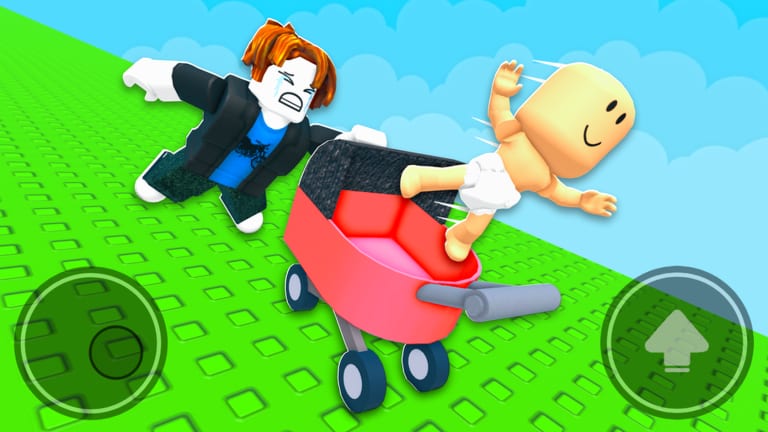
Carry a Baby uses standard Roblox movement plus two morphs. The parent feels like a normal R6 obby. The baby feels like a small character with a crawl and a sit. If your duo is split across PC and mobile, agree on words, not key names. This page is the input sheet. Pair it with getting started for the lobby and with how to protect for when those inputs happen.
Voice chat is not enabled on the experience. Use Roblox text, Discord, or a phone call. Camera APIs are also off. You are not filming faces; you are jumping logs.
Shared movement
| Action | PC | Mobile |
|---|---|---|
| Move | WASD | Left joystick |
| Jump | Space | Jump button |
| Camera | Right mouse / Q-E style camera | Drag |
| Sit in stroller | Proximity prompt on the cart | Tap prompt |
| Leave sit | Jump or the prompt again | Jump |
Mobile HUDs in official art show a left joystick and a right jump. That is the parent view you will see in thumbnails. The baby HUD is the same buttons with a smaller character. Do not search for a hidden “carry” key. Carry is a weld: the baby sits, the parent walks.
Parent-only habits
Parents jump gaps while the cart is attached. Strafe jumps throw the baby more than forward jumps. On floating logs, tap jump; do not hold. If you need the baby to crawl, look for a crib, a hole, or a marked tile, walk onto it, and wait for the baby to exit. Do not keep walking. The parent role page is the full habit list; the control version is: jump, stop, wait, pick up.
Opening the shop is a parent-time action. Do it in the lobby. The shop uses the regular Roblox GUI, not a hotkey. Codes, when they exist, also live in that GUI — see how to redeem.
Baby-only habits
Babies crawl under lasers and through tunnels the parent cannot enter. Movement is still WASD / joystick, but jump is weaker. Inside a maze, pick a wall and keep it on one side. That is the same trick creators mention for the World 1 button room. Press proximity prompts on buttons, doors, and teleporters. If a prompt says you will teleport the parent, fire it only when the parent says they are standing still.
Crying animations do not mean you should jump out of the cart. Stay sat until the parent parks. Jumping out on a moving platform is a void. The baby role guide covers camera scale and button order.
Lobby teleporters
Two pads. One morph each. Step on baby or parent, wait for the load, then meet at the default stroller. If you landed on the wrong morph, reset character or walk back to the pads. Do not enter a world teleporter until both of you confirm the weld in chat. World 1 and World 2 are separate portals after you earn the first clear.
Recovering from a bad input
- Baby ejected on a jump: Parent stops. Baby walks back to the cart prompt. Do not jump again until the sit completes.
- Parent walked during a baby teleport: Parent reset or wait for the next pad. Baby should not spam the prompt.
- Stuck in shop: Close GUI, jump once, re-weld. Then leave the lobby only after the duo checklist is done.
- Mobile jump eat: Thumb drift on the joystick is the usual cause. Park before you jump axes.
Practice on grass. The World 1 walkthrough assumes you already know sit and crawl. World 2 assumes you already know not to jump on instinct when a boulder is mid-cycle. If you want cosmetics after the inputs feel boring, then open the stroller tier list. If a loader promises auto-jump, read script safety and stay on manual inputs.
Keep this page next to getting started as the shared language. Parent says “jump.” Baby says “crawling.” Both of you say “wait.” That is the whole control scheme, plus the table above.
Frequently Asked Questions
Quick answers for parents, babies, and duo teams.
Is there a carry button?
No. The baby sits in the stroller with a proximity prompt. The parent then walks. See getting started.
Can I remap keys?
Use Roblox’s own keybinds. Carry a Baby does not ship a custom control overlay.
Why can’t I jump as the baby?
The morph is short on purpose. Crawl instead. Details on baby role.
How do we swap roles?
Return to lobby teleporters. The players hub explains when a swap is worth it.